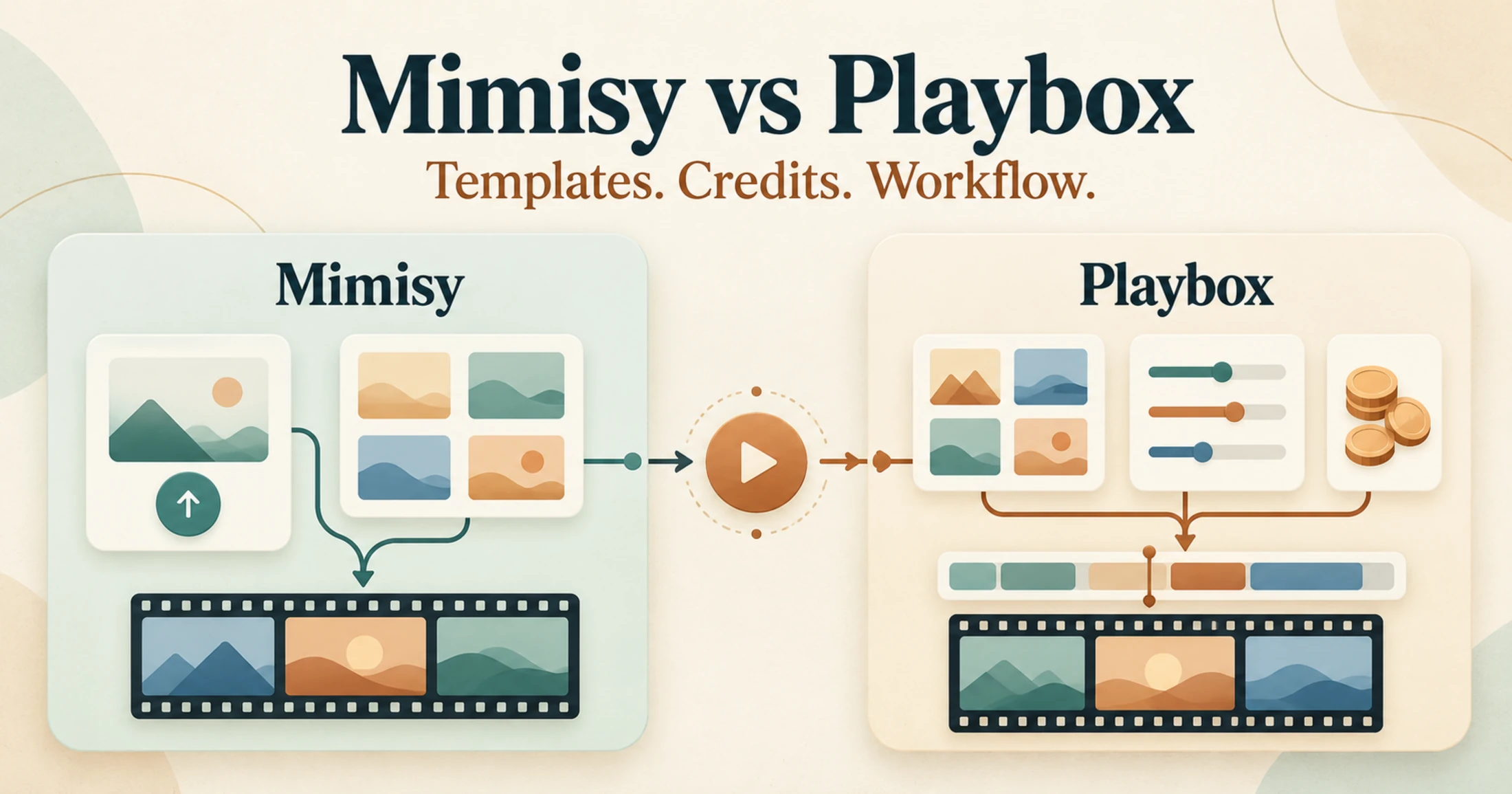
Choose Mimisy if you want a photo-first workflow with optional prompt refinement, a visible credit quote before each request, and unused credits that carry over. Choose Playbox if your planning depends more on fixed plan ceilings for clip length, frame rate, and concurrent fast jobs.
Neither product is the universal winner. They are both template-led, but they make different parts of the workflow predictable. Mimisy helps you assess individual requests before spending credits; Playbox publishes more plan-specific capacity limits. If the first approach fits your work, explore Mimisy image-to-video effects and review the current Mimisy pricing options.
Mimisy and Playbox at a glance
| Comparison point | Mimisy | Playbox |
|---|---|---|
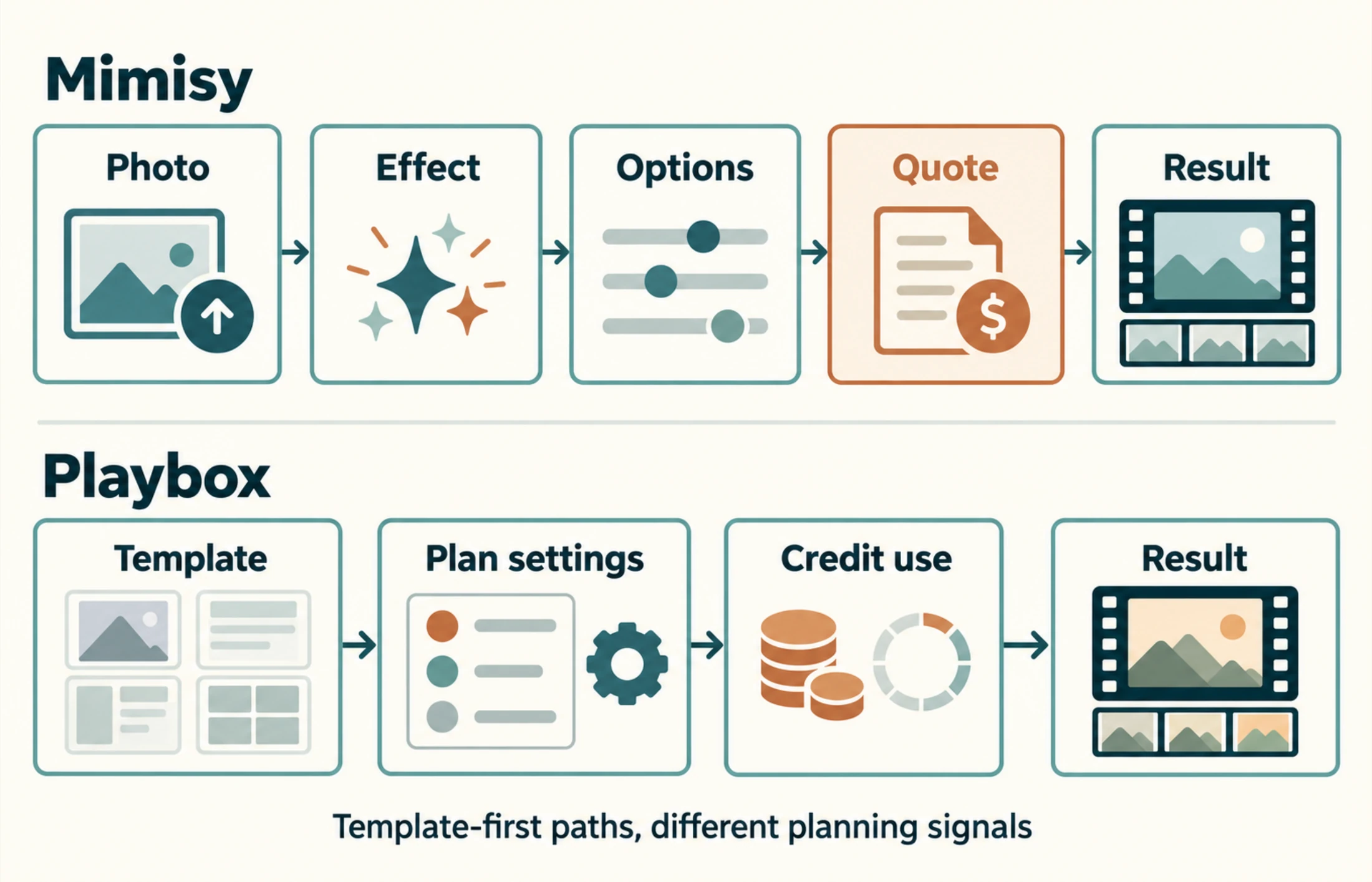
| Creation flow | Choose an effect, upload a photo, select available options, review the quote, and generate | Choose a template, apply the settings available under the plan and template, spend credits, and generate |
| Inputs and controls | Photo-first; an optional short prompt can refine a compatible effect but cannot unlock missing controls | Template-based video creation, with plan limits governing maximum quality labels, frame rate, and duration |
| Credit accounting | The request quote can vary by effect, quality, duration, extra clips, and supported two-photo composition | Plans provide 300, 1,500, or 3,000 monthly credits, but there is no universal credits-per-video conversion |
| Credit validity | Unused credits carry over; prepaid passes do not renew automatically | Credits from plans, top-ups, check-ins, and referrals are valid for 30 days; annual access allocates credits monthly |
| Clip options | Quality, duration, and extra-clip availability depend on the selected template | Basic supports Medium quality, up to 45 FPS and 7 seconds; Pro and Premium support High quality, up to 60 FPS and 12 seconds |
| Parallel capacity | No universal concurrency allowance is stated on the referenced Mimisy pages | Up to 3 concurrent fast jobs on Basic, 10 on Pro, and 15 on Premium |
The table highlights a practical distinction: Mimisy exposes the cost and available choices at the request level, while Playbox gives buyers explicit plan-level production ceilings. “High” and “Medium” are Playbox plan labels, not proof that one service produces better-looking results than the other.
How the two template-first workflows differ
A Mimisy job starts with an existing effect. You provide the required source photo, then choose only the quality, duration, or extra-clip options that the effect exposes. A prompt is optional. Leaving it empty uses the preset; adding a short, consistent direction can refine the intended movement or atmosphere. It cannot switch models, create a longer-duration option, or add controls absent from the template. The optional-prompts guide explains this boundary in more detail.
Before submission, Mimisy displays the credit quote. After generation, the result appears in My collection, where it can be opened, viewed, and downloaded. An account with verified email is required to complete a generation.
Playbox also begins with templates. Its navigation includes templates, collections, custom training, and Image-to-Video V2. All three documented paid plans list access to all templates. The differentiating limits sit mainly at the plan level: maximum duration, frame rate, quality label, and number of concurrent fast jobs.
For either product, template selection matters more than writing a long prompt. A clear product photo may suit a controlled product-motion template, while a wide travel image may work better with a scene-oriented effect. Starting with a poorly matched image and trying to repair the mismatch through text can waste credits.
Credits: carryover versus a 30-day window
Mimisy uses credits and prepaid passes rather than unlimited generation. Its current USD reference plans are:
- Basic Monthly: $9.99 for 300 credits
- Pro Monthly: $29.99 for 1,500 credits
- Premium Monthly: $49.99 for 3,000 credits
Annual passes are paid once, but their credits are released in 12 monthly allocations—not delivered as one annual balance. The listed annual payments are $59.88 for 12 monthly grants of 300 credits, $179.88 for 12 grants of 1,500, and $299.88 for 12 grants of 3,000. The corresponding $4.99, $14.99, and $24.99 figures are monthly equivalents, not recurring monthly charges. Actual payment-channel pricing can differ from these USD references.
Most importantly for occasional users, unused Mimisy credits carry over. The credits and payments guide also confirms that passes do not renew automatically.
According to the Playbox subscription page, its credits are valid for 30 days, including credits obtained through subscriptions, top-ups, check-ins, and referrals. Annual access also distributes credits through 12 monthly allocations and does not automatically renew. Its lower displayed monthly figures appear in the annual-billing context, so they should not be interpreted as ordinary month-to-month checkout prices.
This difference affects real value. Someone producing clips irregularly may benefit from Mimisy’s carryover because a quiet month does not automatically erase the remaining balance. A Playbox user has a stronger reason to organize generation into recurring monthly batches before credits expire.
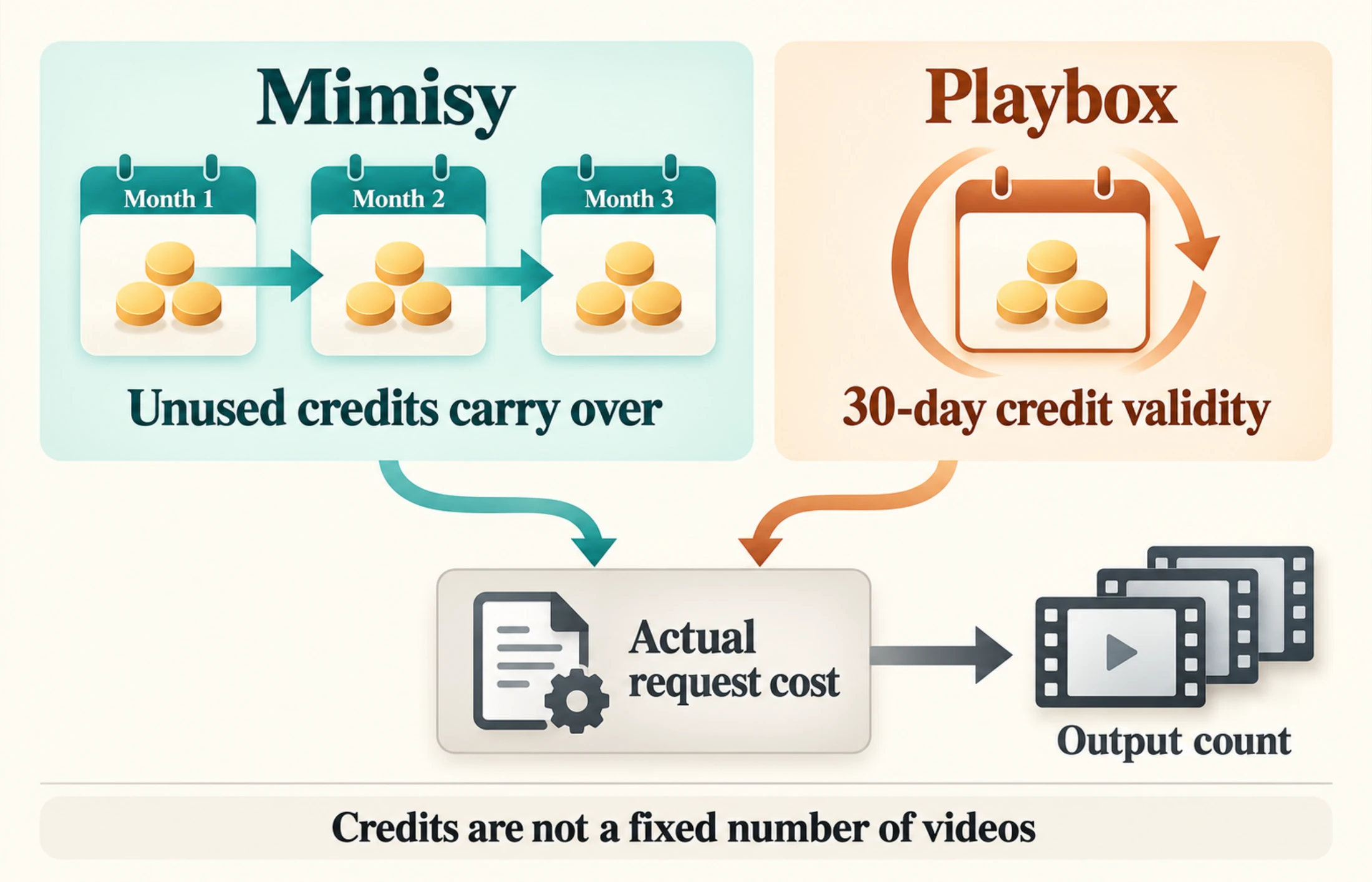
Unused Mimisy credits carry forward, while Playbox credits have a 30-day validity window; in both cases, the number of outputs depends on the cost of each request.
Clip limits, quality labels, and queue planning
Playbox makes several capacity limits explicit. Basic includes 300 monthly credits, up to three concurrent fast jobs, Medium quality, up to 45 FPS, and clips of up to seven seconds. Pro raises the allowance to 1,500 credits, ten concurrent fast jobs, High quality, up to 60 FPS, and up to 12 seconds. Premium provides 3,000 credits and fifteen concurrent fast jobs while retaining the same documented High, 60 FPS, and 12-second ceilings.
Those limits are useful when planning a queue. If a team must submit several variations at once or requires clips longer than seven seconds, the difference between Basic and the higher plans is immediately relevant. It still does not reveal the cost of every template or guarantee that every result will be usable.
Mimisy takes a different approach. Duration, quality, and extra clips depend on the selected effect, and every supported extra clip adds duration and credit cost. There is no universal promise of 4K, native HD, any clip length, or a fixed generation time. The meaningful planning signals are the template’s available settings and the quote shown for that exact request.
A fair product-photo comparison
Suppose you have a clean product photo of a travel mug on a plain table and want a short clip with subtle camera movement for a product page. Use the same original photo in both tools and select templates with the closest available motion. Avoid comparing a seven-second restrained movement in one service with a 12-second dramatic transformation in the other.
Before generating, define a usable result as one that:
- Keeps the mug recognizable
- Preserves its basic shape and printed details
- Uses motion appropriate for a product page
- Maintains a stable composition and suitable crop
- Fits the intended page placement without requiring a complete redo
Record the displayed credit charge, selected duration, available quality setting, and number of outputs requested. Then apply the same acceptance checklist to both products.
Cost per useful clip = total credits spent ÷ usable outputs
For example, if several attempts consume 240 credits and two results meet the checklist, the cost is 120 credits per useful clip. This is a calculation method, not a claim about either product’s actual charge or success rate.
The method also explains why matching balances do not imply matching output counts. Two plans may each provide 1,500 credits, yet request prices, settings, revisions, and the proportion of acceptable results can differ. Compare like with like and use the quote shown for the actual job.
Which product fits your working rhythm?
Mimisy is the more natural choice when you create from existing photos, prefer choosing a visual effect before refining it, and want to see the request cost before committing credits. Carryover is particularly useful for freelancers, small teams, and occasional creators whose workloads vary from month to month.
Playbox is easier to capacity-plan when maximum clip length and simultaneous fast jobs are decisive. Its documented limits let a regular production team distinguish a three-job Basic queue from the ten- and fifteen-job capacity of Pro and Premium. The 30-day credit window, however, rewards a steady monthly generation schedule.
Choose based on the constraint that affects your work most:
- Choose Mimisy for irregular use, retained balances, photo-first effects, optional prompt refinement, and per-request quote visibility.
- Choose Playbox for explicit plan-based duration, frame-rate, quality-label, and concurrency ceilings.
- Compare actual quoted request costs when budget efficiency matters; do not treat credits as videos.
- Run the same-source comparison when visual suitability matters; plan labels alone cannot identify a quality winner.
Start with one representative photo
The fastest way to make the decision is to begin with a photo that represents your normal work—not a specially prepared showcase asset. Pick a compatible effect, inspect the available options, keep the first prompt short or leave it blank, and check the credit quote before submitting.
For a guided path from source selection to retrieving the completed result, follow Mimisy’s first photo-to-video guide. It provides a practical next step for evaluating the workflow with your own image and acceptance criteria.
Find an effect for your next idea.
Browse the actual previews, choose your settings, and review the credit quote before you create.
Explore effects →