Mimisy is the stronger overall choice for quickly finding a suitable template, matching it with the right source photo, and repeating a successful process without unnecessary guesswork. Its catalogue separates image effects, image-to-video effects, and supported two-photo workflows, so users can understand the intended input and output before generating.
SpicyBox remains a credible alternative for people who enjoy feed-style discovery or want one of its available effects, Mini-Movie scenarios, creator feeds, or personalized short-form routes. Its search and popularity filters are useful for browsing ideas. The tradeoff is that its different modes take more interpretation, while Mimisy offers a more consistent path from an initial idea to a reusable workflow.
This comparison covers the browser services at mimisy.com and spicy-box.com, based on product information available on November 11, 2026. It does not cover SpicyGen or similarly named mobile apps.
Mimisy vs SpicyBox at a glance
| Comparison point | Mimisy | SpicyBox | Why it matters |
|---|---|---|---|
| Template discovery | Browse by creation type and inspect samples before signing in | Search and filters alongside Trending, NEW, Most Favorited, Creators, and Following | Mimisy helps users find the appropriate workflow; SpicyBox is useful for browsing popular or recent options |
| Catalogue organization | Separate paths for image effects, image-to-video, and supported DUO templates | Explore feed plus separate routes such as Mini-Movie and personalized shorts | Clear format separation reduces the chance of preparing the wrong input |
| Preview usefulness | Actual template samples help users assess framing, subject visibility, and intended motion | Visual previews support quick scanning across effects and scenarios | A useful preview should guide source-photo selection as well as show the final style |
| Source-photo guidance | Documented guidance covers sharpness, lighting, framing, face visibility, and subject count | Users can compare their photo with the selected preview, but public guidance is less centralized | Better input guidance helps prevent avoidable mismatches |
| Still-image workflow | Image effects have a distinct browsing and generation path | Current public navigation emphasizes ordinary templates and video-oriented modes; check the live interface for available still-image effects | Mimisy makes picture effects easier to distinguish from motion workflows |
| Image-to-video workflow | Template, upload, available settings, optional direction, quote, generation, and collection | Ordinary template selection, upload, supported controls, quote, generation, and collection | Both support template-led creation, but Mimisy documents the sequence more clearly |
| Optional controls | Template-dependent quality and duration choices, plus an optional prompt where supported | Inspected ordinary-template forms expose controls such as available duration and quality options | Controls vary by effect, so evaluate the selected template instead of assuming universal settings |
| Two-photo creation | Verified DUO effects show two required, labeled upload slots | An equivalent current two-upload workflow is not verified in the reviewed first-party material | Mimisy is the clearer choice for ideas requiring two separate source photos |
| Quote visibility | Credit quote is shown after the applicable options are selected and before generation | Generation forms display the applicable cost before submission | Reviewing the configured job is more useful than estimating output from a nominal credit balance |
| Repeatability | Clear template type, input guidance, supported settings, quote, job status, and My Collection | Templates, filters, modes, controls, and collection tools support iteration, but the route depends more on the chosen format | Predictable steps make a successful process easier to recreate with another compatible photo |
| Best for | Organized, repeatable image and video creation, including verified two-photo effects | Feed-led exploration, creator discovery, and users drawn to a particular Mini-Movie or short-form mode | The better fit depends on whether structured workflows or mode-specific discovery matters more |
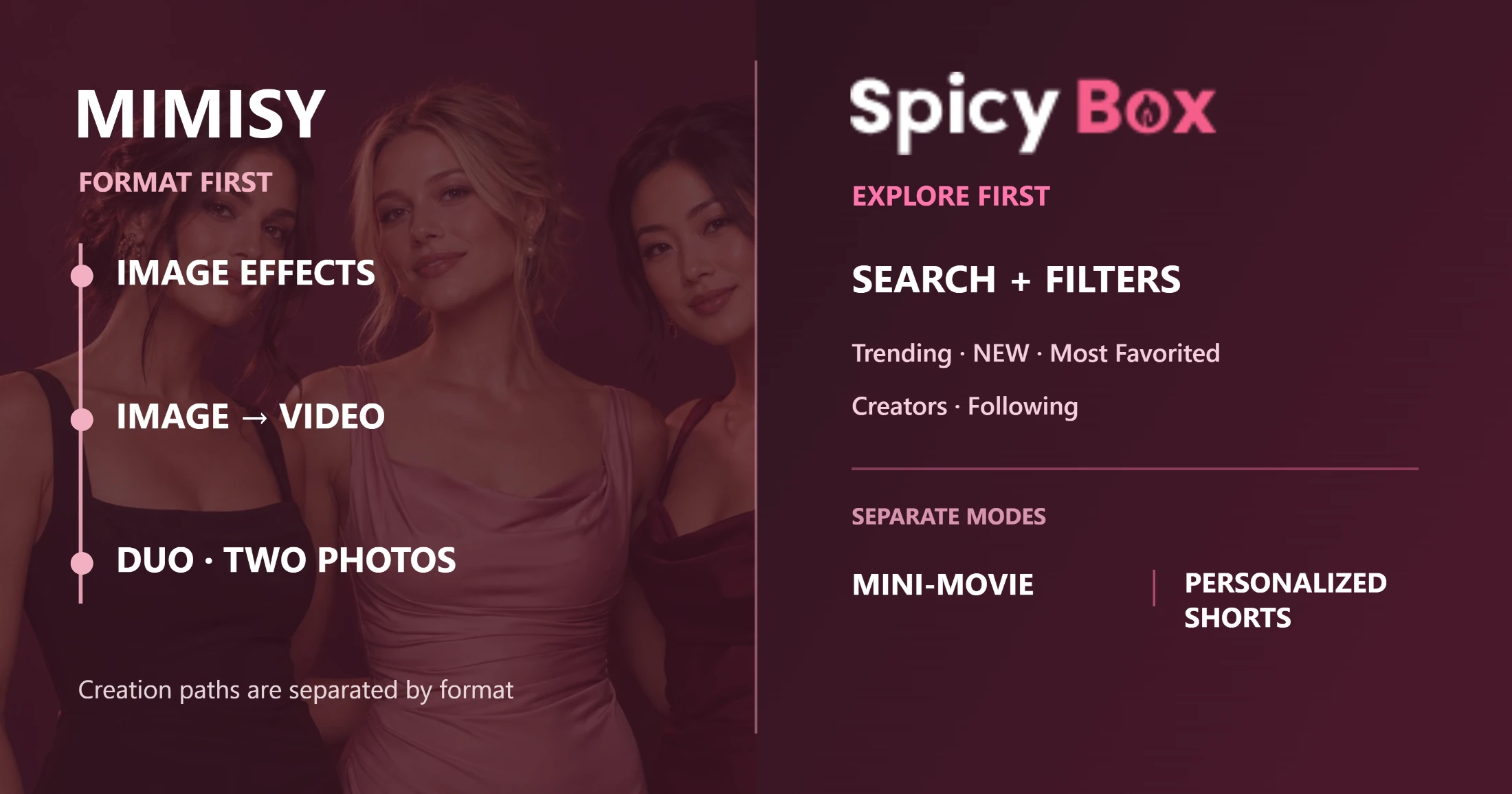
Mimisy organizes creation by input and output format, while SpicyBox emphasizes Explore feeds, filters, and separate short-form modes.
What makes an AI template useful?
A large or visually striking catalogue does not guarantee a better experience. Template quality has four practical components:
- Discoverability: Can you move from an idea to the correct creation format without opening many irrelevant effects?
- Preview clarity: Does the sample reveal the framing, subject count, visible body area, composition, and motion the effect expects?
- Source-photo compatibility: Can you tell what kind of photo will provide enough usable information?
- Repeatability: If a result works, can you use the same process with another compatible image and identify which variable you are changing?
Mimisy handles these needs well. The Mimisy features page separates picture effects, video effects, and supported two-photo experiences before the user uploads anything. This resolves an important question early: are you creating a new still image, animating one photograph, or combining two inputs?
SpicyBox takes a feed-oriented approach. Search, filters, Trending, NEW, Most Favorited, Creators, and Following make it easy to explore by popularity or recency. Separate Mini-Movie and personalized-short-form routes provide additional starting points. These features work well for users who want to browse until an effect catches their attention. Someone who already knows the required output may find the route to a compatible template less direct.
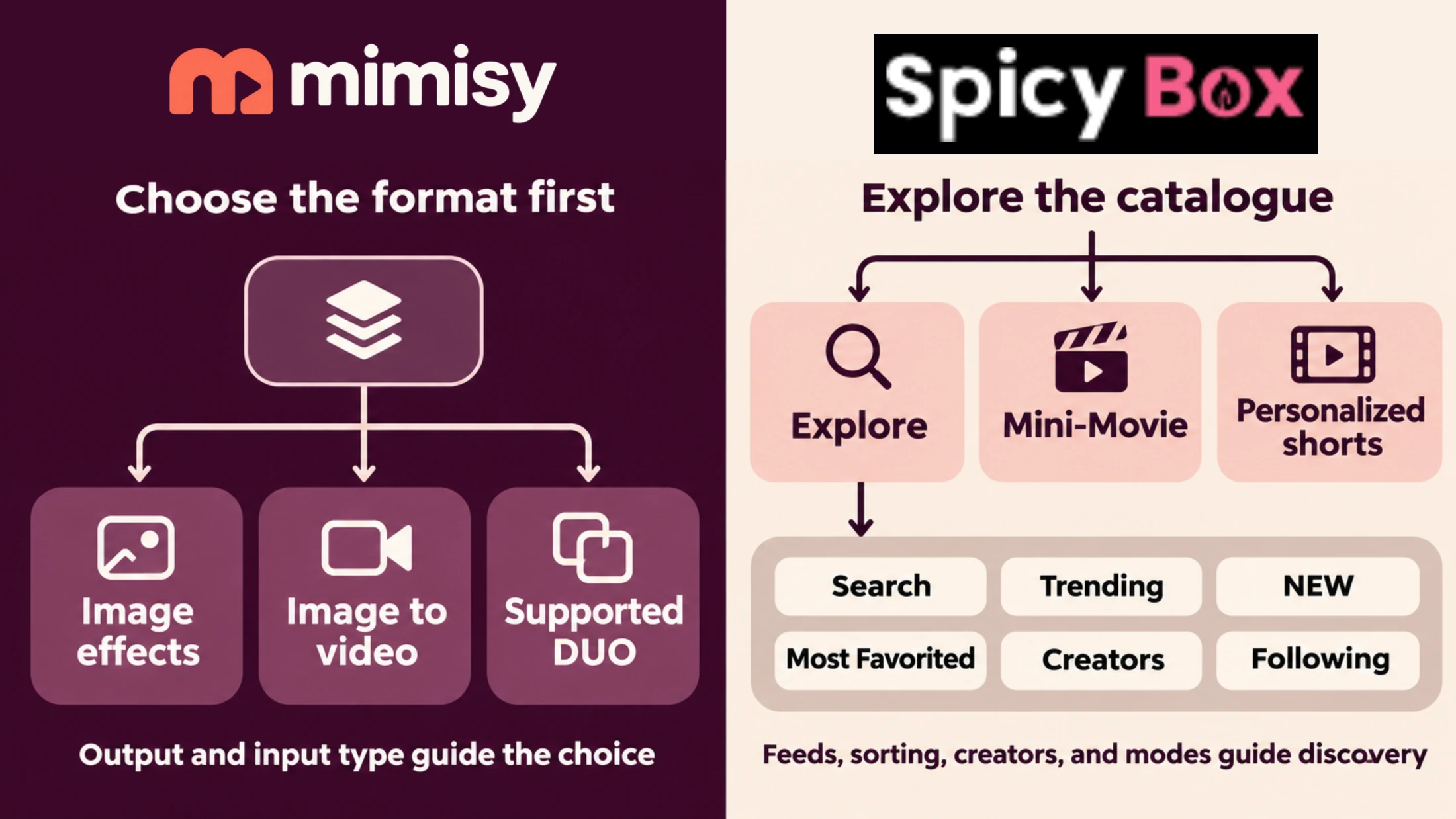
Mimisy organizes template discovery around the required output and inputs, while SpicyBox emphasizes feed browsing, sorting, creators, and separate modes.
Template discovery and source-photo fit
The most useful template is the one whose sample and input requirements match the available photo. A dramatic preview will not compensate for an incompatible source.
Before generating on either platform, check the source against this list:
- Use a sharp original image where possible instead of a heavily compressed screenshot.
- Choose even lighting that keeps the subject and important facial details visible.
- Avoid obstructions across the face or other areas central to the effect.
- Match the camera distance shown in the preview: a close portrait supplies different information from a full-body image.
- Make sure enough of the body is visible for the intended movement.
- Match the expected number of subjects.
- Compare the source composition with the sample, including orientation and subject placement.
For example, a motion template showing full-body movement is a poor match for a tightly cropped face, even if the portrait is otherwise high quality. Similarly, a two-subject preview does not prove that the template accepts two independent uploads. The generation form must provide the required input slots.
Mimisy’s organized catalogue and published photo-preparation guidance bring these checks into the regular workflow. SpicyBox’s visual feed still helps users compare a photo with an effect, although more of the compatibility assessment may fall to the user.
Still-image creation and workflow separation
Mimisy gives picture templates their own area instead of mixing them into the video catalogue. The process is straightforward:
- Open the picture-effects section and choose the intended visual treatment.
- Inspect the sample for framing and composition.
- Upload a compatible source image.
- Keep the preset or add a short, compatible direction where that option is available.
- Review the displayed quote and availability before generating.
- Inspect the finished image and change one meaningful variable if another attempt is needed.
Separate categories are useful because still-image creation and motion generation place different demands on the source. A portrait may suit an image transformation while lacking the visible body information required by a movement template.
SpicyBox’s current public presentation gives greater prominence to Explore templates, Mini-Movie, and short-form video routes. Available templates and modes can change, so users seeking still-image creation should confirm that the live interface offers the picture effect they need. SpicyBox may still serve a particular still-image idea, but Mimisy currently offers the clearer documented path for comparing and selecting still effects as a category.
Image-to-video workflows compared
Both products use template-led photo animation, removing the need to build a complex prompt from scratch. Their main difference is how clearly each stage leads into the next.
With Mimisy, users can browse image-to-video templates, inspect the sample beside the upload area, choose the settings supported by that effect, and review the credit quote before submitting. Quality and duration options depend on the template, so a setting shown for one effect may not appear on another. Completed creations can be reviewed through My Collection.
A standard SpicyBox template follows a comparable sequence: select an effect, inspect its preview, upload the source, review the available controls and cost, generate, and open the result through the collection area. SpicyBox also provides separate Mini-Movie scenarios and personalized-short-form routes. These modes can be appealing when a particular scenario matters more than a uniform catalogue structure.
For either product, change one meaningful variable at a time when refining a result. If the first output has unsuitable composition, choose a better-matched source or template before adjusting the creative direction. If the composition works but the movement needs refinement, keep the source and template stable while changing the relevant supported control. Changing the photo, effect, duration, quality, and direction together makes it difficult to identify what improved the result.
New Mimisy users can follow the documented path to create your first video, covering preview selection, upload, quote review, job status, My Collection, and download.
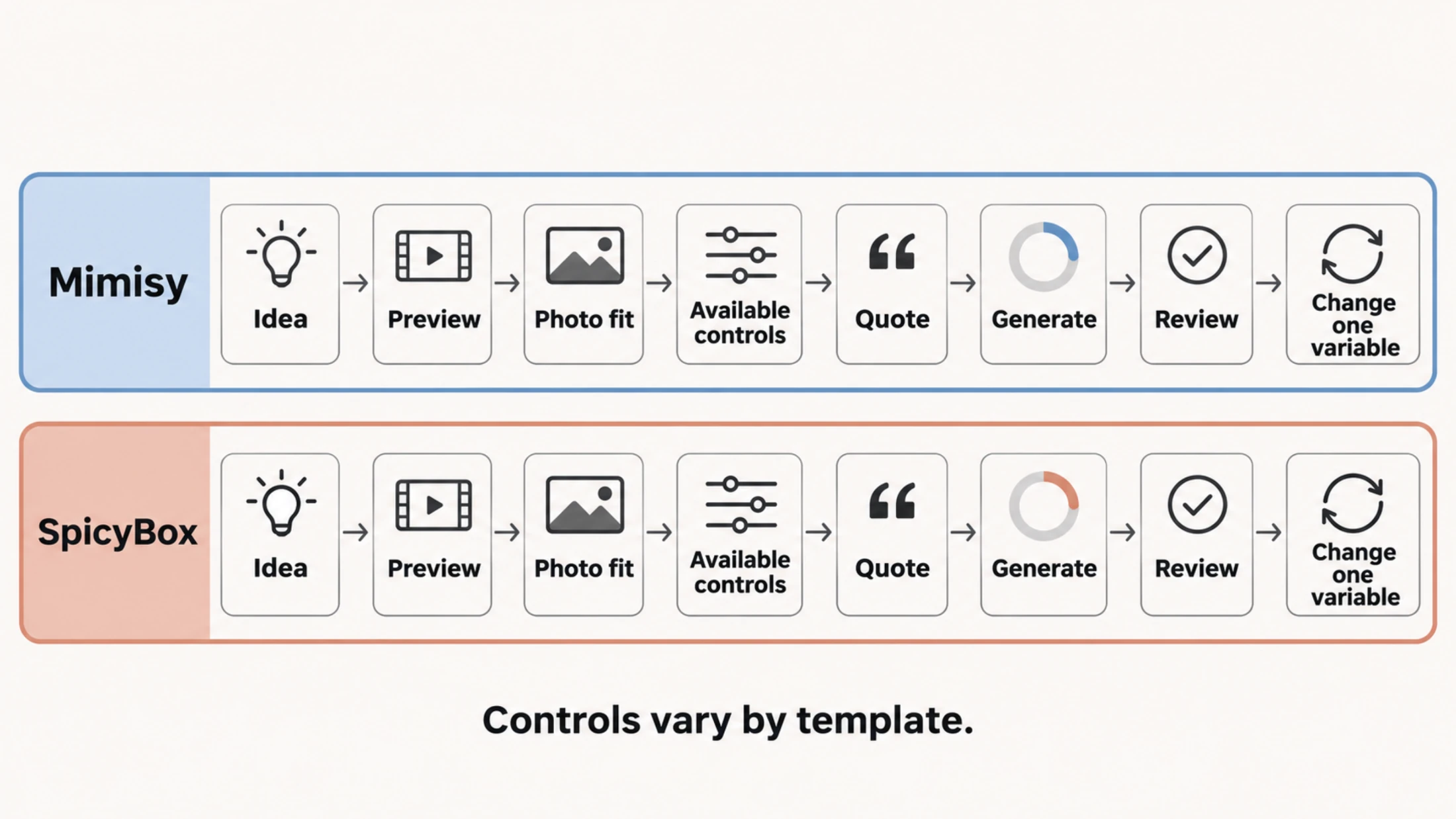
Both products follow a comparable template-led workflow; controls vary by template, and changing one meaningful variable per attempt makes results easier to compare.
Optional prompts and creative control
Mimisy uses a preset-first model. If the sample already matches the intended idea, leaving the optional prompt blank keeps the template’s established direction. When a small adjustment is needed, use a short instruction focused on visible movement, expression, or atmosphere instead of a long list of competing requests.
For example, a compatible refinement could ask for gentler movement or a relaxed expression. An optional prompt cannot convert a template into an unrelated scenario, add a second upload slot, or unlock unsupported settings.
SpicyBox also exposes applicable settings in its ordinary-template forms, including available duration and quality choices in the inspected workflow. Use the live form to determine what the selected effect supports. Controls vary between templates on both platforms.
DUO and two-person creation
Mimisy has a verified advantage for two-photo creation. Supported Mimisy DUO effects display two required, labeled upload slots, allowing users to supply each person separately. The combined quote appears before generation.
A DUO label and genuine two-input support are different things. A preview may show two people while accepting only one source image. On Mimisy, two labeled upload controls confirm that an effect supports two separate source photos; imagery or a tag alone does not.
DUO also has defined limits. Mimisy documents it for supported ordinary image-to-video jobs, not for every picture effect, continuation, or longer-sequence workflow. The reviewed first-party SpicyBox pages do not currently verify an equivalent two-photo, two-slot process. That makes the capability unverified rather than categorically absent. If two independent inputs are essential, check the selected live generation form before proceeding.
Stability as predictable behavior
Without comparable uptime logs or controlled output testing, there is no sound basis for assigning either service a failure rate, speed claim, or quality score. Practical stability for a template generator comes from knowing:
- where to find the appropriate effect type;
- what source material the effect expects;
- which controls it supports;
- what the configured job will cost;
- where its status and completed output appear;
- how to repeat the process without rediscovering every step.
Mimisy performs strongly by this measure. Its format-based organization, preview-led photo matching, documented optional controls, visible quotes, verified DUO boundaries, and collection workflow form a predictable sequence. This becomes especially useful across repeated sessions, when the aim is to apply a successful approach to more compatible photos.
SpicyBox provides continuity through search, sorting, creator discovery, generation forms, and collection tools. Its ordinary templates, Mini-Movie, and personalized shorts follow different routes. Some users will value that variety, while others may spend longer determining which mode fits an idea.
Who should choose each product?
Choose Mimisy if you:
- want image and video templates separated into understandable categories;
- prefer inspecting real samples before signing in;
- value explicit source-photo guidance;
- want preset-led creation with optional direction where supported;
- need verified two-photo templates with labeled upload slots;
- expect to repeat a successful workflow with other compatible photos;
- define stability through clear inputs, options, quotes, status, and review steps.
Consider SpicyBox if you:
- enjoy exploring templates through popularity, recency, or creator-led feeds;
- have found a particular SpicyBox effect that closely matches your source photo;
- prefer its Mini-Movie or personalized-short-form presentation;
- value browsing distinct scenarios more than having every format organized within one consistent structure.
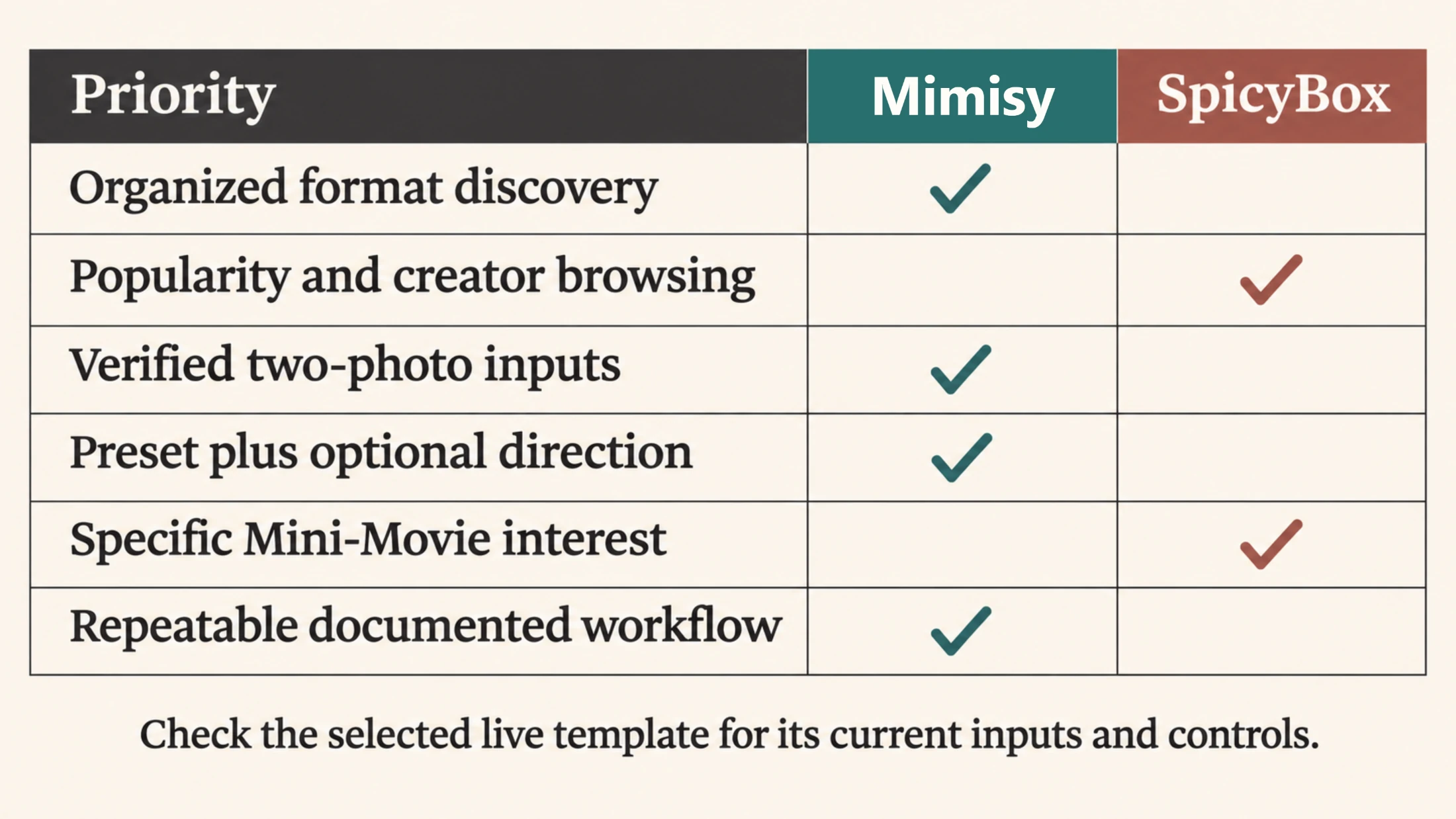
Choose Mimisy for a structured, repeatable workflow; consider SpicyBox when feed-led discovery or a specific Mini-Movie format is the priority.
Direct verdict
Mimisy is the better choice for most users in this comparison. Its catalogue supports better decisions at each stage: selecting the correct output type, inspecting an informative preview, matching the source photo, understanding the available controls, reviewing the quote, and deliberately repeating the process.
SpicyBox is worth considering when a specific effect, feed, or Mini-Movie scenario is the main attraction. For adults seeking an organized AI photo and video template generator with verified DUO support and a predictable repeat-creation workflow, Mimisy offers the stronger overall package.
Find an effect for your next idea.
Browse the actual previews, choose your settings, and review the credit quote before you create.
Explore effects →